

Role of Secure Messaging in Healthcare: Clinic Guide

Secure messaging reduces phone volume, documents exchanges in the EHR, and supports care coordination — but only when you pair it with the right compliance controls. A 2026 randomized trial found that patients encouraged to use secure messaging relied on phone calls at a rate of 68.8% versus 76.0% in the control group. That gap is real operational capacity. HHS enforces HIPAA across every messaging channel, and CMS now recognizes portal messages involving medical decision-making as potentially billable. The one-line recommendation: adopt a HIPAA-compliant platform with a signed Business Associate Agreement (BAA) and a staffed triage workflow before you flip the switch.
68.8% vs. 76.0% — patients using secure messaging were measurably less likely to reach for the phone, freeing staff time for higher-acuity work.
Table of Contents
- How secure messaging actually improves healthcare operations
- What HIPAA actually requires for messaging compliance
- When portal messages become billable under CMS guidance
- How to roll out secure messaging without burning out your staff
- What to require from any messaging vendor before you sign
- How to score vendors before you commit
- Metrics that prove secure messaging is working
- The risks that sink messaging programs and how to avoid them
- Key Takeaways
- The real lesson most clinics miss about secure messaging
- Klyrmedia builds the infrastructure behind compliant messaging
- Authoritative sources referenced in this guide
How secure messaging actually improves healthcare operations
The core benefit is operational resilience: routine communication shifts off the phone queue without losing the audit trail. Secure messaging handles medication refills, referrals, condition monitoring, and timely care-plan adjustments while improving patient satisfaction when promoted actively.
Specific benefits your practice will feel:
- Reduced phone volume — fewer inbound calls for refills, results, and scheduling questions
- Better triage — staff can sort messages by urgency before a clinician ever sees them
- Asynchronous coordination — specialists, nurses, and admin can respond on their own schedule
- Documented audit trail — every exchange is timestamped and linked to the patient record
- Patient empowerment — patients initiate contact on their terms, which improves perceived autonomy
- Fewer unnecessary visits — many clinical questions resolve without a face-to-face appointment
Three quick use cases that illustrate the difference:
- Med refill workflow. A patient sends a refill request through the portal. A medical assistant reviews it, confirms no contraindications, and routes approval to the prescriber — no phone tag, no voicemail.
- Post-discharge check-in. A nurse sends a structured follow-up message 48 hours after discharge. The patient responds with vitals. The exchange is logged automatically.
- Cross-specialty consult. A primary care physician sends a cardiology consult request with the patient’s EKG and clinical questions in one message. The cardiologist responds with a recommendation, fully documented.
What HIPAA actually requires for messaging compliance
Encryption alone is not enough. You need a signed BAA, role-based access controls, and audit logs before a single protected health information (PHI) message goes through any platform. HHS enforcement can result in federal fines ranging from $100 to $50,000 per violation — and violations compound fast when a breach touches thousands of records.
Your minimum compliance checklist:
- Execute a BAA with every vendor that handles PHI
- Implement role-based access so staff see only what their role requires
- Confirm encryption in transit and at rest
- Enable audit logging with retention that meets your state’s requirements
- Apply device controls (remote wipe, screen lock) for mobile access
- Document a breach response plan and test it annually
- Update patient consent forms to reflect the messaging channel
Pro Tip: When vetting a vendor, ask specifically: “What is your breach notification SLA?” and “Will you sign our BAA, or only your standard version?” A vendor that resists a custom BAA is a red flag worth taking seriously.
When portal messages become billable under CMS guidance
Some portal messages are not just administrative — they are clinical work. CMS introduced billing codes for portal messages that involve medical decision-making and require substantial clinician time within a defined period. That changes how you staff and document messaging.
Practical implications:
- Track clinician time spent on each message thread, not just response counts
- Build billing triggers into your EHR templates so qualifying messages flag automatically
- Know when to convert a message exchange into a billable e-visit or an in-person appointment
- Train clinicians to document the decision-making process in the message thread itself
The operational shift here is real. Messaging that was previously invisible clinical labor can now generate revenue — but only if your workflow captures it.
How to roll out secure messaging without burning out your staff
Treat messaging as a clinical service with defined scope, response SLAs, and triage roles. Without that structure, message volume increases workload rather than reducing it.
Step-by-step rollout:
- Audit your current communication channels and identify where phone calls can shift to messaging
- Select a HIPAA-compliant vendor with a signed BAA and EHR integration
- Define message scope: what topics are in-scope (refills, results, scheduling) and what requires a call or visit
- Assign triage roles — who handles what before a clinician sees it
| Message Type | Handled By |
|---|---|
| Refill requests | Medical assistant |
| Billing questions | Front office |
| Clinical advice | Nurse triage, then clinician |
| Urgent symptoms | Immediate escalation to clinician |
- Create templates and auto-replies for common requests
- Set response SLAs (e.g., clinical messages within 2 business days)
- Train staff with role-based scenarios, not just policy documents
- Monitor message volume, phone call reduction, and clinician time weekly
- Iterate based on data — adjust scope and staffing as volume grows
Pro Tip: Auto-replies that confirm receipt and set a response timeline reduce patient anxiety and cut duplicate messages. A simple “We received your message and will respond within 2 business days” eliminates a significant share of follow-up calls.

What to require from any messaging vendor before you sign
Insist on encryption in transit and at rest, audit logs, role-based access, EHR integration, and a signed BAA. Those are non-negotiables. Everything else is a scoring dimension.
Vendor requirement checklist:
- Encryption standard (AES-256 or equivalent)
- Audit trail retention period and export format
- SSO and MFA support
- Role and department scoping for message routing
- Message-to-EHR auto-documentation capability
- Escalation and routing rules
- Backup and retention policies
- Breach notification SLA (48–72 hours is a reasonable benchmark)
Integration questions to ask directly: How do messages map to the patient record in your EHR? Do you support HL7/FHIR APIs? What are your mobile device security controls? The answers tell you whether the vendor has actually built for healthcare or just bolted on a BAA. For more on secure hosting requirements that apply to messaging infrastructure, the same principles around uptime and encryption carry over directly.
Pro Tip: Request a sample audit log export during the demo. If the vendor can’t produce one on the spot, that’s your answer about their logging maturity.
How to score vendors before you commit
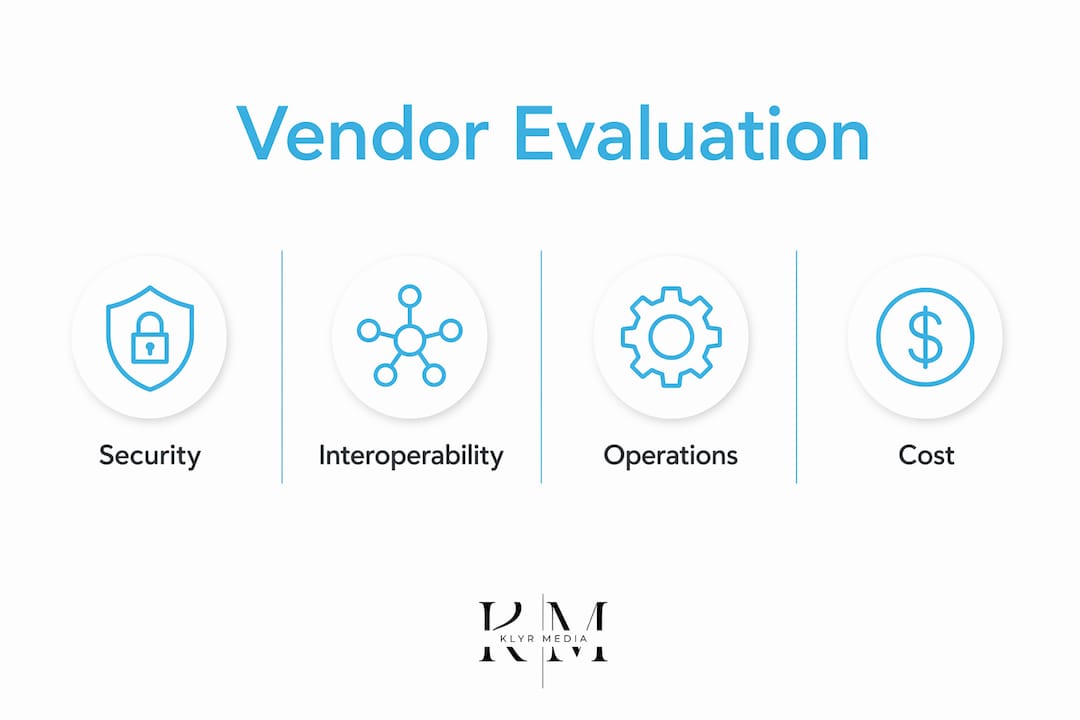
Evaluate vendors across four pillars: security and compliance, EHR interoperability, operational features, and total cost of ownership.
| Evaluation Pillar | Key Questions | Weight |
|---|---|---|
| Security & compliance | BAA terms, encryption standard, audit logs, breach SLA | — |
| EHR interoperability | HL7/FHIR support, auto-documentation, SSO/MFA | — |
| Operational features | Triage routing, templates, SLA tracking, mobile controls | — |
| Cost & support | Pricing model, uptime guarantee, training, contract exit terms | — |
Contract clauses to negotiate: data ownership on termination, data return timeline, uptime SLA with financial penalties, and BAA specifics around subcontractors. Never sign a contract that lets the vendor retain your patient data after termination without a clear deletion timeline.
Metrics that prove secure messaging is working
Measure message volume, phone calls triaged, clinician time per message, response SLA adherence, patient satisfaction, conversion to billable visits, and safety incidents. Without a baseline, you cannot demonstrate ROI.
KPIs mapped to business outcomes:
- Access: portal adoption rate, % of phone calls avoided, average response time
- Revenue: billable e-visits generated, clinician minutes saved per week, visit conversion rate
- Quality: patient satisfaction scores, safety incident rate, SLA adherence %
Build a simple dashboard: baseline in month one, targets at 90 days, weekly reporting cadence. The patient portal adoption rate is often the leading indicator — if patients aren’t using the portal, message volume won’t shift.
The risks that sink messaging programs and how to avoid them
The top risks are message overload, channel switching, and compliance breaches. Each is preventable with the right policies upfront.
Channel switching — patients sending the same request through the portal, by phone, and at the front desk — creates duplication that erases time savings. The fix is a single-channel policy communicated clearly at enrollment and reinforced at every visit.
Mitigations that work:
- Enforce single-channel guidance in patient onboarding materials
- Use structured message templates to reduce ambiguous, context-free messages
- Assign team inbox ownership so no message sits unread
- Schedule protected response time for clinicians to prevent after-hours burden
- Run role-based scenario training quarterly, not just at onboarding
One more thing on compliance: document every incident, even near-misses. Audit-ready logs are your first line of defense if HHS ever comes knocking.
Pro Tip: The HIPAA-compliant automation features that reduce admin burden also reduce compliance risk — automated routing and logging leave less room for human error.
Key Takeaways
Secure messaging cuts phone volume, documents clinical exchanges, and supports billable care coordination — but only when compliance controls and triage workflows are in place from day one.
| Point | Details |
|---|---|
| Phone volume reduction | Patients encouraged to use secure messaging relied on phone calls at a rate of 68.8%, compared to 76.0% in the control group. |
| Compliance is more than encryption | A signed BAA, role-based access, and audit logs are all required under HIPAA; fines run $100–$50,000 per violation. |
| CMS billing opportunity | Portal messages involving medical decision-making and substantial clinician time may qualify for billing under CMS codes. |
| Triage structure prevents burnout | Unmanaged message volume increases workload; a defined triage matrix and response SLAs are the fix. |
| Klyrmedia as implementation partner | Klyrmedia designs HIPAA-compliant messaging integrations and automation workflows for U.S. clinics and practices. |
The real lesson most clinics miss about secure messaging
Most practices approach secure messaging as a technology purchase. Buy the platform, flip the switch, watch the phone calls drop. That’s not how it works.
The platforms that actually deliver on the promise — reduced phone volume, documented exchanges, billable e-visits — are the ones where someone made deliberate decisions about triage ownership, message scope, and patient expectations before launch. The technology is almost secondary. A well-configured, staffed workflow on a mid-tier platform will outperform a premium platform with no triage structure every time.
What gets overlooked is the channel-switching problem. Patients who don’t trust the portal will use it AND call AND show up at the front desk. That triples the work instead of reducing it. The fix isn’t a better app — it’s patient education, a single-channel policy, and a portal experience that actually works on a phone. That last part is where design and digital infrastructure matter as much as the messaging feature itself.
The other underrated risk is billing. CMS has opened the door to reimbursement for portal messages that involve real clinical decision-making. Most practices are doing that work and not capturing it. That’s revenue sitting in the EHR with no claim attached.
Klyrmedia builds the infrastructure behind compliant messaging
Independent clinics and pharmacies that want secure messaging to actually reduce admin burden — not add to it — need more than a platform license. They need the workflow design, EHR integration, and automation layer that makes it stick.

Klyrmedia builds HIPAA-compliant web and portal infrastructure that supports secure messaging from the ground up: compliant design, EHR integrations, triage automation, and patient outreach workflows that drive portal adoption. The result is a messaging program that reduces phone volume, captures billable e-visits, and holds up under audit.
Services that support a full messaging rollout:
- HIPAA-compliant website and portal design
- Marketing automation for patient outreach and follow-up
- EHR integration and triage workflow configuration
- Analytics and KPI reporting
Book a consult at klyrmedia.com to see how a compliant messaging setup fits your practice’s existing systems.
Authoritative sources referenced in this guide
| Source | Best Used For |
|---|---|
| HHS HIPAA Compliance & Enforcement | BAA requirements, fine ranges, and enforcement context |
| Randomized trial: secure messaging and phone reliance (PMC) | Primary evidence for phone-volume reduction and patient autonomy |
| Secure messaging workflow study (PMC) | Triage design, burnout risk, channel-switching mitigations |
| Nature scoping review: CMS billing and portal messaging | CMS billing codes, policy updates, and operational implications |
| HealthIT/NLC secure messaging fact sheet | Adoption tactics, use cases, and patient engagement guidance |

