
Clinics: Compliance First Appointment Reminders That Cut No Shows
Compliance first clinic playbook for EHR integrated appointment reminders. Capture consent, sync confirmations, and run a 30–60 day pilot.

Clinics: Compliance First Appointment Reminders That Cut No Shows

The recommended baseline is automated, HIPAA-compliant multichannel reminders (SMS, email, and voice) with two-way confirmation and real-time EHR integration. Clinics that pair this with signed consent, clear templates, and human follow-up for high-risk patients see measurable drops in no-shows. Skip any of those pieces, especially the compliance paperwork or the EHR sync, and the system either exposes you legally or quietly falls apart within a few months.
TL;DR:
- Automated, HIPAA-compliant multi-channel reminders require real-time EHR integration, signed consent, clear templates, and human follow-up for high-risk patients to be effective and legal.
- Reminders should be tailored to different stages: pre-visit confirmations, day-of instructions, and post-visit follow-ups, with automated workflows updating appointment statuses without manual intervention.
- SMS is best for last-minute confirmations due to its quick read rate, while email and voice calls serve for longer content and outreach to less frequent checkers, respectively.
- Proper HIPAA safeguards, including signed BAAs and documented opt-in consent, are mandatory before sending reminder texts that include any protected health information.
- Most studies show reminders increase attendance modestly, with SMS outperforming calls; clinics should track key KPIs like no-show rate, confirmation rate, and staff hours during a controlled pilot before full implementation.
Table of Contents
- How Medical Appointment Reminders Fit the Patient Journey
- Choosing Channels, Timing, and Templates That Get Replies
- What HIPAA and TCPA Require Before You Send That First Text
- Making Reminders Sync With Your Scheduling Software
- What the Research Says About No-Show Reduction
- Rolling Out Reminders Without Disrupting Your Front Desk
- How Klyrmedia Builds Reminders Into Bigger Retention Systems
- The One Habit That Separates Clinics That Fix No-Shows From Ones That Don’t
- Turn Your Reminder Plan Into a Working System
- Sources
How Medical Appointment Reminders Fit the Patient Journey
A reminder isn’t one message. It’s a sequence tied to three distinct moments in a patient’s visit, and each moment needs its own action, not a generic “see you soon” text.
- Pre-visit: confirm attendance, offer a one-tap reschedule, push intake forms or telehealth links, and flag insurance or copay details.
- Day-of: send arrival instructions, parking or check-in links, and transportation notes for patients who need them.
- Post-visit: trigger follow-up care reminders, lab result nudges, or recall notices for annual screenings.
The tricky part is the handoff between stages. A patient who confirms via text should have that reply written straight back into the scheduling system, canceling the next scheduled reminder automatically. If your workflow still requires a staff member to manually mark someone “confirmed” after reading a text, you don’t have automation. You have a notification system with extra steps.
Choosing Channels, Timing, and Templates That Get Replies
Each channel does a different job. SMS gets read fast, often within minutes, which makes it the best tool for last-minute confirmations. Email handles longer content, like intake forms or visit summaries. Voice calls reach patients who don’t check texts often, especially older patients, and they work well as an escalation step, not a first attempt.
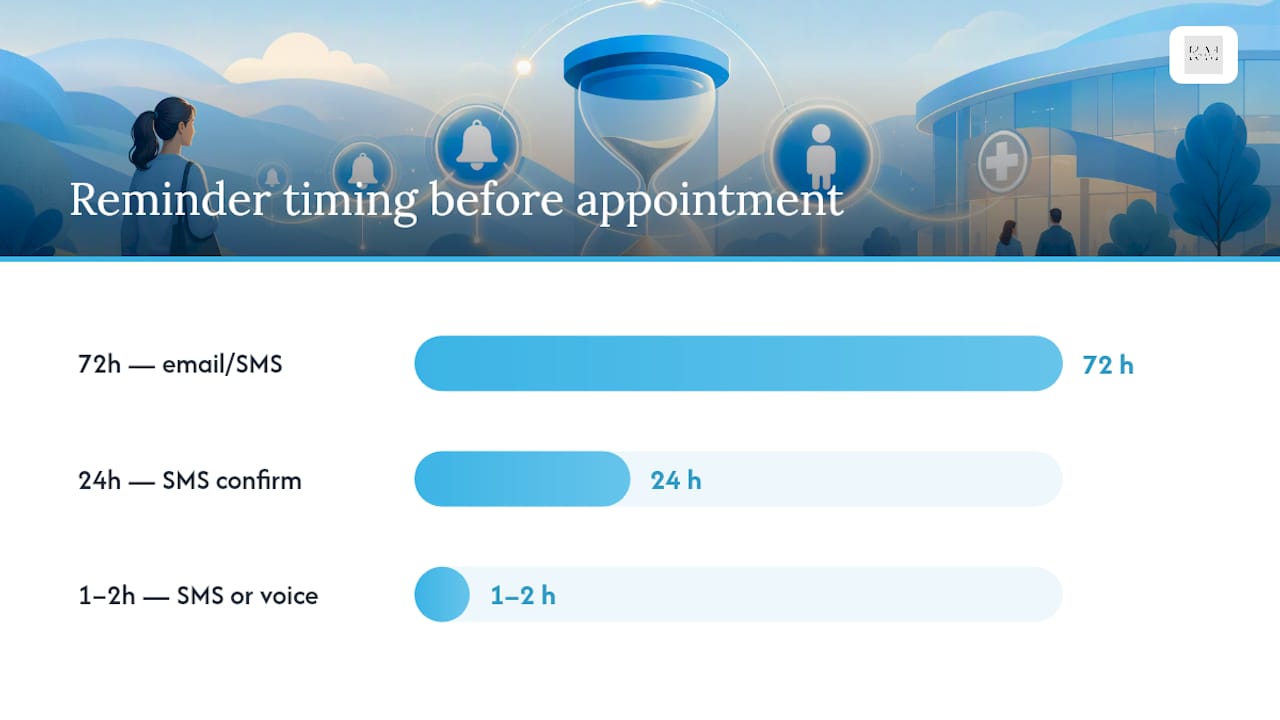
A cadence that holds up across most primary care and specialty settings looks like this:
- 72 hours out: email or SMS with the appointment date, a reschedule link, and any prep instructions.
- 24 hours out: SMS confirmation request with a simple reply format (“Reply C to confirm, R to reschedule”).
- 1 to 2 hours out: a short SMS or automated voice call, reserved for same-day logistics or high-risk no-show patients.
Two-way messaging only works if the reply format is dead simple. “Reply C to confirm” beats an open-ended “Let us know if you can make it” every time, because it gives your system something structured to parse.
Pro Tip: Keep every automated message under two sentences and never mention a diagnosis, medication, or specific service in the text itself. State the date, time, and provider’s practice name only. It reads as respectful of privacy, and it protects you if the message lands on a shared phone.
What HIPAA and TCPA Require Before You Send That First Text
Appointment reminders fall under HIPAA the moment a message includes anything beyond the date, time, and location. If your text names a condition, a specific procedure, or a medication, that’s Protected Health Information, and it needs the same safeguards as your patient charts.
Before you turn on any automated system, confirm you have these in place:
- A signed Business Associate Agreement (BAA) with any vendor that transmits or stores PHI, no exceptions for “just a reminder tool.”
- Documented opt-in consent for SMS specifically, since the Telephone Consumer Protection Act treats text messages differently from a phone call your office places directly.
- A timestamped consent record showing when and how the patient agreed to receive automated messages.
- Message logs and audit trails your team can produce if a patient disputes receiving (or not receiving) a reminder.
Federal health IT guidance is consistent on this point: vendors handling PHI need a documented compliance trail, not a verbal assurance from a sales rep. Build your intake script to capture consent explicitly, out loud, and log it the same day. That’s the difference between a defensible system and a liability waiting to surface.
Making Reminders Sync With Your Scheduling Software
A reminder system that doesn’t talk to your EHR or practice management software creates more work than it saves. Someone still has to check two systems, reconcile confirmations by hand, and hope nothing falls through. Real-time EHR integration is what makes the whole thing worth building, and interoperable EHR systems are the foundation that makes automated status updates possible at all.
When a patient confirms, cancels, or requests a reschedule through a reminder, that reply should update the appointment status in your scheduling software within minutes, not at end of day. Ask any vendor you’re evaluating these questions directly:
- How often does the system sync with our EHR or PM software, and is it real-time or batched?
- What happens when a patient has two appointments in the same week? Does the system send separate cadences or merge them?
- How are telehealth appointments handled differently from in-person visits?
- Is there an audit log showing exactly when a confirmation updated the schedule?
Vendors who can’t answer the sync-frequency question clearly usually mean “overnight batch,” which defeats the purpose of same-day confirmations.
What the Research Says About No-Show Reduction
A meta-analysis pooling multiple randomized controlled trials found that appointment reminders increase attendance by a modest overall margin, with SMS reminders performing slightly better than phone calls.
The meta-analysis of randomized controlled trials reported a pooled relative risk of 1.11 (95% CI: 1.05 to 1.19), with SMS at RR 1.14 and phone calls at RR 1.11. Some vendors advertise far larger numbers, including claims of dramatically fewer no-shows among patients who confirm, but those figures come from specific client case studies and vary widely by setting. Treat vendor-reported outcomes as best-case scenarios, not the baseline you should plan around.
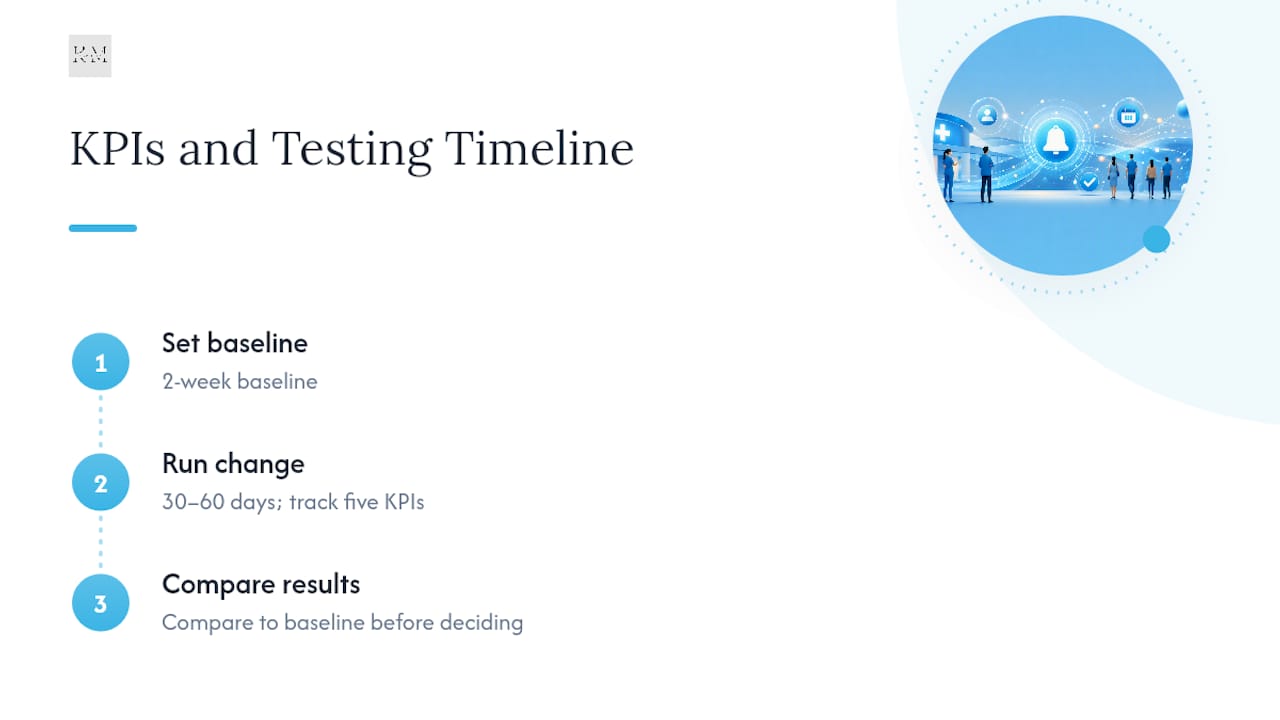
Track these KPIs from day one: no-show rate change, confirmation reply rate, recovered visit volume, revenue per schedule slot, and staff hours saved on manual calling. Set a two-week baseline before switching anything on, then run your new cadence for 30 to 60 days before comparing.
Rolling Out Reminders Without Disrupting Your Front Desk
Launching a reminder system in one week almost always creates confusion. A phased rollout protects both your staff and your patients from a clunky transition.
- Set your baseline. Pull your current no-show rate and confirmation rate before changing anything.
- Capture consent. Rewrite your intake script to ask for SMS consent explicitly and log it immediately.
- Build templates. Draft SMS, voice, and email versions, translated if your patient population needs it.
- Connect your EHR. Configure real-time sync, set your cadence, and define escalation rules for unconfirmed high-risk patients.
- Pilot for 30 to 60 days. Measure against your baseline, adjust cadence or wording, then scale to your full schedule.
Pro Tip: Run the pilot on one provider’s schedule or one department first. It’s far easier to fix a broken escalation rule affecting 40 patients than one affecting your entire clinic.
How Klyrmedia Builds Reminders Into Bigger Retention Systems
Reminders alone rarely solve a no-show problem long term. Automation works best as one piece of a broader patient engagement strategy, paired with personalized follow-up for patients who consistently miss visits.
Klyrmedia sees the same three failure points repeatedly: consent forms that don’t hold up to a HIPAA audit, cadences copied from a vendor’s default without adjusting for the clinic’s actual patient population, and integrations that sync overnight instead of in real time.
The One Habit That Separates Clinics That Fix No-Shows From Ones That Don’t
Most clinics treat reminders as a set-it-and-forget-it tool. The ones that actually move their numbers review confirmation rates monthly and adjust cadence for specific patient groups. Pilot an integrated, consented, multichannel reminder flow for 60 days. Track no-show rate and confirmation rate as your minimum KPIs, then decide whether to scale it.
— Opinly
Turn Your Reminder Plan Into a Working System
Building the reminder flow described above, consent capture, EHR sync, escalation rules, and templates, takes real technical work most front desks don’t have time for. Klyrmedia specializes in exactly this: patient follow-up automation built specifically for independent clinics that need HIPAA-compliant reminder flows connected directly to their existing scheduling software, not a generic texting tool bolted onto the side.

A short engagement typically starts with a pilot on one schedule or department, measured against your baseline no-show and confirmation rates, then adjusted before rolling out clinic-wide. If your patient portal or intake pages also need work to support pre-visit forms and telehealth links, Klyrmedia’s HIPAA compliant website design team builds that groundwork too. Request a consultation to map your current reminder gaps and get a pilot plan built around your actual schedule, not a vendor’s default settings.
Sources
The meta-analysis on reminder effectiveness covers attendance uplift by channel. The PMC review on patient engagement explains why automation works best paired with follow-up. HealthIT.gov covers EHR interoperability basics.
This article is general information, not a substitute for advice from a qualified doctor. Consult a qualified healthcare professional about your own circumstances before acting on anything here.

