
12 Examples of HIPAA-Compliant Automation That Actually Work
Explore effective examples of HIPAA-compliant automation that streamline workflows while protecting patient information and ensuring compliance.

12 Examples of HIPAA-Compliant Automation That Actually Work

HIPAA-compliant automation is any workflow that touches protected health information while enforcing the safeguards HIPAA actually requires: a signed Business Associate Agreement covering every vendor in the chain, encryption in transit and at rest, role-based access controls, and audit logs that can withstand an OCR inquiry. Nothing about “automation” makes PHI riskier by default. What makes it risky is skipping the contract and the logging.
Here’s what qualifies, ranked by how often we see it deployed well:
- Patient intake with EHR write-back that skips manual re-entry
- Secure appointment reminders sent through BAA-covered SMS/email channels
- Lab order and results routing between systems with encrypted transit
- Billing reconciliation and claims automation with full audit trails
- Clinical alerting and escalation workflows with timestamped evidence
- Consent and disclosure capture tied to signed authorization records
A workflow isn’t compliant because it’s automated. It’s compliant because someone signed a BAA, encrypted the pipe, and can produce a log of every touch six months from now.
Want the checklist for vetting a vendor against these standards? Skip to the evaluation section below.
Key Takeaways
HIPAA-compliant automation requires a signed BAA, encrypted data handling, role-based access, and audit logs that can survive an OCR review.
| Point | Details |
|---|---|
| BAA covers every vendor | Confirm signed BAAs exist for the primary vendor and every downstream subcontractor touching PHI. |
| Minimum-necessary data design | Limit each workflow to the specific PHI fields it needs, nothing more. |
| Audit logs must be exportable | Require tamper-evident, timestamped logs vendors can produce without engineering help. |
| Match platform to risk tolerance | Choose self-hosted, hybrid, or managed SaaS based on data residency needs and staffing. |
| Klyrmedia builds the compliance layer | Klyrmedia engineers connectors, manages BAA processes, and sets up monitoring for healthcare automation projects. |
Primary Sources for Verifying HIPAA Automation Claims
- HHS HIPAA guidance for the official safeguard requirements
- OCR Breach Portal to check reported breach patterns
- HIPAA vs GDPR compliance guide for regulatory scope context
- n8n HIPAA workflow guide for a self-hosted implementation reference
Table of Contents
- Examples of HIPAA-Compliant Automation: The Controls That Make It Real
- Concrete Automation Examples and How Each Handles PHI
- Which Technical Controls Should You Demand From a Vendor?
- Choosing Between iPaaS, RPA, EHR-Native, and Self-Hosted Tools
- How Do You Evaluate a HIPAA Automation Vendor?
- Keeping Automation Compliant After Launch
- What a HIPAA-Compliant Automation Rollout Actually Looks Like
- Frequently Asked Questions
- Sources
Examples of HIPAA-Compliant Automation: The Controls That Make It Real
Three layers have to hold at once for any workflow to count as HIPAA-compliant automation. Miss one, and the other two don’t matter.
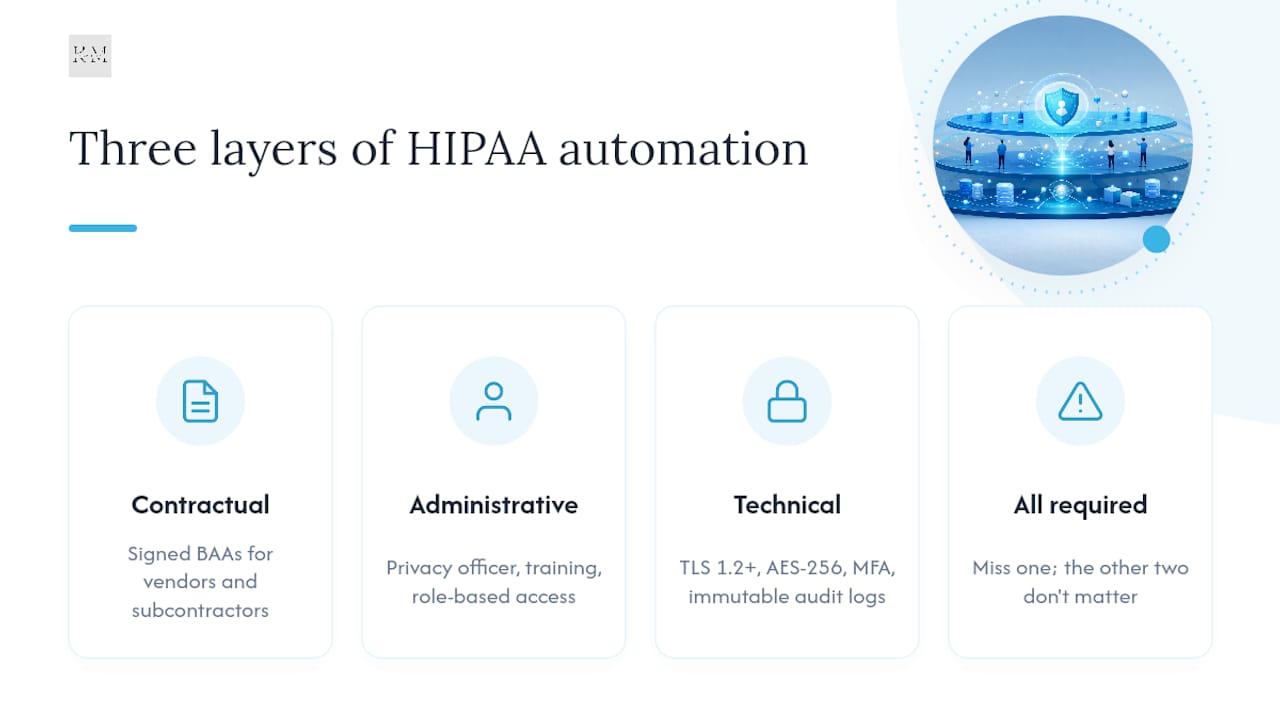
Contractual. Every vendor touching PHI, including the SMS gateway, the OCR service, and the cloud host, needs a signed BAA. Downstream subcontractors need their own BAAs too. A vendor who says “we’re HIPAA compliant” but can’t produce a signed BAA is not covered, full stop. This is where most procurement teams get burned. They vet the primary vendor and forget the four services that vendor quietly relies on.
Administrative. Someone has to own the policy. That means a designated privacy officer, documented workforce training, role-based access assigned by job function, and a data-minimization rule that limits what PHI a given workflow can even see. If your intake bot pulls a patient’s full chart when it only needs a name and date of birth, that’s a minimum-necessary violation waiting to happen.
Technical. TLS 1.2 or higher for anything in transit, AES-256 (or equivalent) at rest, multi-factor authentication on admin access, and immutable audit logs that record who touched what, when, and why.
Pro Tip: Ask every vendor to export a sample audit log before you sign anything. If the log doesn’t show a timestamp, a user ID, and the specific PHI field accessed, it won’t hold up when HHS or an auditor comes asking.
Concrete Automation Examples and How Each Handles PHI
The gap between a theoretical use case and a deployable one is almost always PHI scope. A well-designed workflow only ever sees the fields it needs, and every example below assumes minimum-necessary field design from the start, not bolted on afterward.
Patient intake automation with EHR write-back is the most common starting point, and for good reason: it eliminates duplicate data entry and cuts front-desk time. Common examples like this typically write only demographic and insurance fields to systems like Epic or athenahealth, not full clinical history. Appointment reminders sent through a BAA-covered SMS or email provider reduce no-shows without exposing diagnosis codes in the message body, since the text itself should never carry more than a name and time slot.

Lab order and results routing moves structured data between the ordering system and the lab interface with the smallest possible payload: test code, patient ID, and ordering provider. Billing reconciliation automation matches claims against remittance data, a workflow where audit trails matter more than almost any other use case because errors here trigger compliance reviews. Clinical alerting sends time-sensitive notifications, like an abnormal lab value, to the right care team member, with every alert logged and timestamped.
Practices that automate intake and reminders together often see meaningful drops in no-show rates and front-desk hours, though the exact figure depends heavily on patient population and how well the reminder cadence is tuned.
Which Technical Controls Should You Demand From a Vendor?
Ask vendors to break out technical controls by category, not lump them into a vague “we’re secure” statement. Here’s what each category needs to show:
- Access control: Role-based permissions tied to job function, not blanket admin access for convenience.
- Encryption: TLS in transit, AES-256 at rest, and documented key rotation practices.
- Logging and evidence: Tamper-evident, timestamped logs that can be exported for an audit without engineering help.
- Monitoring and alerting: Automated flags for unusual access patterns, not just after-the-fact review.
- Secure connectors: Credential vaulting for EHR integrations, never hardcoded API keys in workflow configs.
- Key management: A documented process for rotating and revoking encryption keys.
- Vulnerability scanning: Recent penetration test reports, ideally refreshed annually.
- Data residency: Clear documentation of where PHI is stored and processed, especially for multi-region cloud deployments.
One practical pattern worth studying: an AWS-based approach that uses AI-powered browser automation to capture timestamped evidence directly to S3 and generate audit-ready reports. It’s a useful reference for what “evidence vault” actually means in practice, not just in a sales deck.
If a vendor can’t produce a SOC 2 report or a recent penetration test summary on request, that’s not a paperwork gap. It’s a sign nobody has independently checked their claims.
Copy this into your next vendor questionnaire: BAA on file, SOC 2 Type II report, penetration test date, audit log export sample, key rotation policy, data residency statement.
Choosing Between iPaaS, RPA, EHR-Native, and Self-Hosted Tools
Platform category determines how much control you keep versus how much you hand to a vendor. iPaaS tools connect systems fast but often mean trusting a third party’s BAA coverage for every hop. RPA fits legacy systems with no API but adds operational overhead since bots need monitoring. EHR-native automation (built inside Epic or Cerner) offers the deepest connector reliability but the least flexibility to customize workflows.
Self-hosted or VPC-isolated deployments make sense when data residency rules or internal risk policy won’t allow PHI to leave your infrastructure. A properly configured self-hosted n8n instance inside a BAA-covered environment, with encryption and credential vaulting, is a documented example of this pattern working.
Pro Tip: A hybrid model, PHI stored on-prem, orchestration logic in the cloud, is often the practical middle ground for practices that need automation speed without giving up control of the data store.
How Do You Evaluate a HIPAA Automation Vendor?
Run this sequence before signing anything:
- Define requirements. Map exactly which PHI fields the workflow touches and nothing more.
- Request the BAA and attestations. Ask for the signed BAA template and a current SOC 2 Type II report.
- Test connectors in a sandbox. Verify the EHR connector works against a test instance before touching production data.
- Validate logging and evidence exports. Pull a sample audit log and confirm it’s tamper-evident.
- Review incident response. Ask for their breach notification timeline and how it aligns with HHS reporting rules.
- Confirm downstream BAAs. Every subcontractor touching PHI needs coverage too.
Red flags that should end the conversation immediately:
- No BAA available, or a vague “we’ll get to it” answer
- No audit logging, or logs that can’t be exported
- Unencrypted connectors between systems
- Inability to confirm BAAs with their own downstream vendors (email, SMS, hosting)
The single fastest way to disqualify a vendor is asking for their BAA template on day one. Hesitation there tells you everything.
Keeping Automation Compliant After Launch
Compliance isn’t a one-time signature. It’s a maintenance schedule. Set up runbooks for onboarding and decommissioning workflows, track every BAA’s renewal date, and run scheduled vulnerability scans rather than waiting for an incident to force the issue.
Initial deployment governance should follow this order:
- Assign a privacy officer responsible for the automation program.
- Map every PHI data flow before building the workflow.
- Design fields around minimum-necessary access from day one.
- Run a simulated breach to test your incident response plan.
Beyond governance, backup and disaster recovery need to align with HIPAA retention rules, meaning backups themselves need the same encryption and access controls as production data. Continuous monitoring, not a one-time audit, catches configuration drift before it becomes a violation.
- Retention policies should match HIPAA’s documentation requirements, not just your general IT backup schedule.
- Workforce role changes need to trigger access reviews automatically, not manually, months later.
Automation itself reduces compliance risk in a way manual processes can’t: standardized steps produce consistent audit trails and cut the human-error rate that causes most accidental disclosures.
What a HIPAA-Compliant Automation Rollout Actually Looks Like
A mid-sized clinic engagement built around this exact framework, mapping PHI flows, selecting EHR connectors, signing BAAs with every vendor touching data, and setting up an evidence vault before go-live, typically follows this sequence:
- Map every PHI touchpoint across intake, scheduling, and billing
- Select connectors compatible with the practice’s existing EHR
- Get signed BAAs from every vendor in the chain before any data moves
- Build the audit log and evidence export from day one, not as an afterthought
The rollouts that hold up under audit are the ones where the evidence vault existed before the first patient record touched the workflow, not after.
Should You Build This Yourself or Bring in a Partner?
Managed SaaS with a signed BAA wins for most practices without dedicated security staff. Self-hosting only makes sense if you already have the engineering bandwidth to maintain it. Either way, run every vendor through the evaluation checklist above before you commit.
Let KLYR Media Handle the Compliance Engineering
Most practices don’t have a security engineer on staff, which means every BAA negotiation and connector build falls on whoever already runs the front desk. Klyrmedia closes that gap by handling the parts that actually require technical judgment: mapping your PHI flows, engineering the EHR connectors, managing the BAA paperwork with every vendor in the chain, and setting up monitoring so the evidence vault stays current without anyone chasing it manually.

If patient intake, appointment reminders, or billing reconciliation are still eating staff hours in 2026, that’s exactly the kind of workflow Klyrmedia builds around a signed BAA and audit-ready logging from day one. For practices already comfortable with automation and looking to extend it into lead nurturing or consent workflows, marketing automation services cover that ground directly. Start with a HIPAA-compliant website design consultation to see where your current intake and communication flows stand against the checklist above.
Frequently Asked Questions
What are examples of HIPAA-compliant automation in a small practice? Patient intake forms that write directly to the EHR, appointment reminders sent through a BAA-covered SMS provider, and billing reconciliation with audit logging are the most common starting points for smaller practices.
Do all automation tools need a BAA to be HIPAA compliant? Yes. Any tool, cloud service, or subcontractor that touches PHI needs a signed BAA, including the tools that only pass data through briefly, like an SMS gateway.
Is cloud-based automation as compliant as self-hosted automation? It can be, provided the cloud vendor signs a BAA and meets encryption and logging requirements. Self-hosting only becomes necessary when residency rules or internal policy prohibit PHI from leaving your infrastructure.
What’s the biggest red flag when evaluating a HIPAA automation vendor? No signed BAA, or hesitation when you ask for one. A vendor confident in its compliance posture will have the BAA template ready on request.
This article is general information, not a substitute for advice from a qualified lawyer. Consult a qualified legal professional about your own circumstances before acting on anything here.
Sources
- Health Information Privacy — Laws & Regulations (HHS)
- OCR Breach Portal — Office for Civil Rights (HHS)
- HIPAA-Compliant Workflow in n8n: Step-by-Step Guide
- What Is HIPAA Compliant Workflow Automation? · Activepieces

