
HIPAA Compliant Email Providers: A 2026 Guide for Practices
Discover top HIPAA compliant email providers in 2026 for secure patient communication. Ensure automatic encryption and a signed agreement.

HIPAA Compliant Email Providers: A 2026 Guide for Practices

Require a signed Business Associate Agreement and automated encryption before you send a single patient message by email. That combination, not a brand name, is what actually keeps a practice out of trouble. Whether you get there through an enterprise platform upgrade or a specialist vendor like Paubox or Virtru, the decision drivers are the same: does the vendor sign a BAA, does encryption happen automatically instead of depending on staff memory, and can patients actually open what you send them without calling the front desk for help.
TL;DR:
- Sending PHI via email requires a signed Business Associate Agreement and automated encryption to ensure compliance and patient accessibility.
- Technical safeguards like encryption at rest and in transit, access controls, and audit logs are critical, but a signed BAA alone does not guarantee security.
- The core clinical uses that trigger HIPAA compliance include lab results, appointment reminders, billing, and care coordination messages, especially when they contain identifiable information.
- Choosing a vendor with a comprehensive BAA, automatic encryption, data loss prevention, and seamless recipient experience is essential to avoid gaps in compliance.
- Ensuring all connected tools like websites, forms, and automation platforms also have signed BAAs and safeguards is crucial, as breaches often occur outside email systems.
Table of Contents
- What Does HIPAA Actually Require for Email?
- Who Actually Needs HIPAA-Compliant Email?
- What Features Should You Actually Require From a Vendor?
- Which Deployment Path Fits Your Practice?
- How Do You Roll Out HIPAA-Compliant Email at Your Practice?
- The Gap Between Choosing a Vendor and Actually Being Compliant
- KLYR Media: A Compliance Stack Built Around Your Practice, Not a Vendor List
- Sources
What Does HIPAA Actually Require for Email?
HIPAA doesn’t mention email by name. It doesn’t need to. The Privacy Rule and Security Rule apply to any electronic transmission of protected health information, and email counts the moment it carries a patient’s name next to a diagnosis, a lab result, or even an appointment reminder for a specialty clinic that reveals what condition someone is being treated for.
Here’s where practices get tripped up: PHI isn’t limited to obvious clinical detail. A message that says “your results are ready” tied to an oncology practice’s domain can qualify, because the identifying context (the sender) combined with the subject line implies a health condition. The HIPAA Security Rule lays out the technical safeguards that apply once you’re transmitting that kind of data electronically, and email falls squarely inside that scope.
The Security Rule’s technical safeguards for electronic PHI break down into a few core requirements:
- Encryption of data in transit and, ideally, at rest
- Access controls that verify who is opening a message before they can read it
- Audit controls that log who accessed what, and when
- Integrity controls that prevent PHI from being altered without detection
- Transmission security that protects messages as they move across networks
HHS has confirmed, in plain terms, that providers are allowed to use email to discuss health issues with patients as long as reasonable safeguards are in place and a BAA exists where a third party is involved in handling that data. That HHS FAQ guidance is worth reading directly, because it’s the clearest official statement that email itself isn’t the problem. Unsecured email, or an email vendor operating without a signed agreement, is.
The regulatory text itself lives in 45 CFR Part 164, which spells out permitted disclosures and the conditions under which PHI can move between a covered entity and the people or systems that touch it. A Business Associate Agreement exists precisely because of this framework: any vendor that creates, receives, maintains, or transmits PHI on your behalf, including your email provider, has to sign one before you can legally send them patient data. No BAA means no PHI through that channel, full stop.
A signed BAA is necessary, but it’s not the finish line. HHS guidance makes clear that the agreement has to be backed by actual technical controls, documented policies, and evidence you’ve tested those controls, not just a signature on file in a drawer somewhere. Practices that treat the BAA as the whole compliance project are the ones that end up explaining themselves to an auditor later.
Who Actually Needs HIPAA-Compliant Email?
If you’re a covered entity, meaning a healthcare provider, health plan, or clearinghouse that transmits health information electronically, HIPAA-compliant email isn’t optional. Business associates, the vendors and contractors who handle PHI on a covered entity’s behalf, carry the same obligation. That covers independent pharmacies, solo practitioners, multi-location clinics, billing services, and increasingly, the marketing platforms and CRM tools that touch patient contact lists.
The clinical use cases that trigger this requirement are more common than most administrators assume:
- Sending lab or imaging results, even a simple “normal, no follow-up needed”
- Clinical advice or treatment instructions sent between appointments
- Prescription changes or refill confirmations
- Appointment reminders for specialty practices where the practice name itself signals a diagnosis
- Billing statements that itemize procedures or diagnosis codes
- Referral letters and care coordination messages between providers
Marketing emails and newsletters can be a gray zone, but they’re not automatically safe just because they feel generic. A monthly wellness newsletter sent to your entire patient list is usually fine on a standard marketing platform, because it isn’t tied to individual treatment. The moment you segment that list by condition, appointment history, or diagnosis, and combine it with identifying information, you’ve created PHI, even if you never typed a patient’s name.
A dangerous myth persists that stripping a name off a message removes the HIPAA risk. It doesn’t. HIPAA recognizes 18 distinct identifiers, and clinical context alone can re-identify a patient even without a name attached. This is exactly why so many general-purpose email marketing platforms explicitly ban PHI in their terms of service. If your marketing tool’s contract says “don’t send health information through this platform,” that’s not boilerplate. That’s the vendor telling you they won’t sign a BAA and won’t accept liability if you use their system that way anyway. If you’ve ever wondered whether Mailchimp is HIPAA compliant, that’s your answer: Mailchimp does not offer a BAA for standard use, which means anything resembling PHI has no business going through it.
Other red flags to watch for: a vendor that relies on staff manually toggling “encrypt” before sending (human error is the leading cause of breach here), and any platform that stores attachments or message content indefinitely without clear retention controls.
What Features Should You Actually Require From a Vendor?
Most vendor conversations get derailed by feature lists that sound impressive but don’t matter for compliance. Here’s the checklist that actually separates a defensible solution from a liability, in priority order.
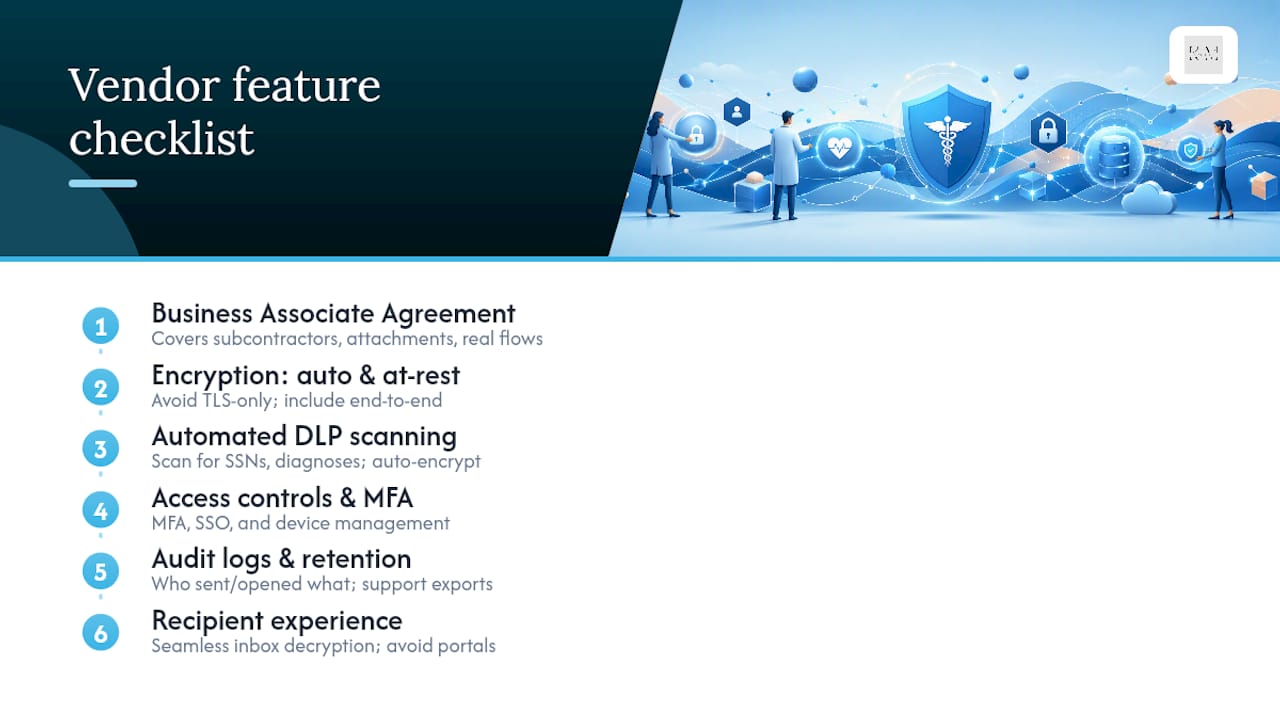
1. A Business Associate Agreement that covers your real data flows. Don’t just confirm a BAA exists. Read what it covers. Does it include subcontractors the vendor uses for storage or spam filtering? Does it cover attachments, or just message bodies? A BAA that’s narrower than your actual usage leaves gaps.
2. Encryption that doesn’t depend on staff remembering to turn it on. TLS (Transport Layer Security) protects a message in transit between mail servers, but it has limits: if the receiving server doesn’t also support TLS, the connection can fall back to unencrypted transmission without anyone noticing. End-to-end encryption and encryption at rest close that gap. NIST’s guidelines on electronic mail security lay out the technical distinctions between these approaches in detail, and they’re worth having your IT lead review before you sign a contract.
3. Automated detection and data loss prevention. This is the feature that actually moves the needle on real-world breach risk. Systems that scan outgoing messages for identifiers like Social Security numbers, diagnosis codes, or patient names and automatically apply encryption catch the mistakes a rushed staff member won’t. Relying on a person to remember to click “secure send” every single time, across hundreds of messages a week, is a compliance strategy built on hope.

4. Access controls, multi-factor authentication, and device management. Who can open a message, from what device, and under what login conditions? MFA and single sign-on integration reduce the risk of a compromised password turning into a full-scale PHI exposure.
5. Audit logging with real retention. You need a record of who sent what, who opened it, and when, that holds up if you’re ever asked to produce it during an OCR investigation or a legal discovery request. Ask vendors directly how long logs are retained and whether they support eDiscovery exports.
6. Recipient experience. This is the feature administrators underrate most. A portal-based system requires the patient to click a link, create an account or enter a password, and log in to a separate site to read a message. That friction causes missed messages, frustrated patients, and more phone calls to your front desk, not fewer. Seamless inbox decryption, where the message opens directly (sometimes after a one-time passcode) without a separate portal login, tends to produce better patient engagement and fewer abandoned messages.
Pro Tip: Before you sign with any vendor, send yourself a test message using a personal email account that mimics an average patient’s tech comfort level. If you’re annoyed by the process, your patients will be too, and they’ll stop opening your messages within a few weeks.
Which Deployment Path Fits Your Practice?
Three realistic paths exist, and none of them is universally “the best.” The right one depends on your existing IT setup, staff technical comfort, and how your patients skew demographically.
Option A: Upgrade your existing enterprise platform with a signed BAA. Google Workspace and Microsoft 365 both offer BAAs on qualifying business plans, and Microsoft publishes detailed configuration guidance for TLS to help IT teams set encryption up correctly. The upside: your staff keeps using the inbox they already know, and you avoid a migration. The downside: getting encryption configured correctly requires real technical know-how, and default settings often aren’t compliant out of the box. This path works best for practices with an in-house IT person or a managed IT contractor who understands the difference between TLS-in-transit and true encryption at rest.
Option B: A specialist HIPAA email vendor. This is where names like Paubox, Virtru, LuxSci, Hushmail, MailHippo, and Proton Mail come in. Market roundups consistently point to these as representative examples of turnkey secure email built specifically for regulated industries. Paubox and Virtru both emphasize automated, seamless encryption that lands directly in a patient’s normal inbox rather than forcing a portal login, which tends to reduce recipient friction. LuxSci leans toward larger organizations needing granular policy controls. Hushmail and MailHippo are frequently chosen by smaller practices for simpler setup. Proton Mail offers end-to-end encrypted email built around consumer-grade simplicity, with a business tier that supports HIPAA use when paired with a BAA. These vendors typically sign a BAA as a standard part of onboarding, which removes the guesswork of retrofitting compliance onto a general-purpose platform.
Option C: Add-on encryption tools layered onto your current mail system. Virtru is the clearest example here: it integrates directly with Gmail and Outlook, adding end-to-end encryption and DLP scanning without requiring you to migrate your entire email system. This path costs less to implement than a full platform switch and preserves staff workflows, but it does introduce configuration risk. If the integration isn’t set up correctly, or if a staff member disables a rule, you can end up with gaps that look secure on paper but aren’t in practice.
How to choose: if your practice has dedicated IT support and wants to keep its existing platform, Option A or C makes sense. If you’d rather hand off the technical complexity entirely and get a working solution faster, Option B is usually the more practical route. Either way, weigh your patient demographics before deciding on recipient experience. A pediatric practice or a clinic serving an older population will see real drop-off with portal-based systems; a specialty practice with a younger, more tech-comfortable patient base may tolerate that friction better.
How Do You Roll Out HIPAA-Compliant Email at Your Practice?
Getting from “we know we need this” to “this is running correctly” takes a specific sequence. Skip a step here and you’ll find the gap during an audit, which is the worst possible time to find it.
- Review and sign the BAA. Read it fully, not just the signature page. Confirm it covers every data flow you’ll actually use, including attachments and any subcontracted storage.
- Map your data flows. Identify every system that touches patient email, not just your primary provider. Marketing automation tools, appointment reminder platforms, and CRM integrations frequently store PHI without anyone realizing a BAA was never signed for that specific tool.
- Configure encryption and DLP rules. Set automated scanning for identifiers like names, diagnosis codes, and account numbers so encryption triggers without a staff member needing to remember.
- Run a pilot with a small group of real patients, including some who aren’t especially comfortable with technology, before rolling it out practice-wide.
- Enable MFA, SSO, and device management for every staff account with email access.
- Update your HIPAA policies and incident response plan to reflect the new system, including who to notify and how fast if something goes wrong.
- Train staff on what counts as PHI, how the new system works day to day, and what a compliance failure actually looks like in practice.
- Document everything. Vendor BAA, configuration screenshots, training records, and pilot results all belong in a folder you can produce quickly if OCR ever comes asking.
| Step | What it prevents | Who owns it |
|---|---|---|
| Sign and review BAA | Sending PHI to an unauthorized vendor | Practice administrator |
| Map data flows | Shadow PHI in marketing/CRM tools | IT lead or office manager |
| Configure DLP/encryption | Human error in manual encryption | IT lead or vendor support |
| Pilot with real patients | Access barriers that delay care | Front desk / patient coordinator |
| Train staff | Accidental PHI disclosure | Compliance officer |
| Document the rollout | Failing an audit for lack of evidence | Compliance officer |
Mapping data flows deserves extra attention, because it’s the step practices skip most often. A breach frequently traces back to a separate tool, like a web form plugin or a marketing platform, that quietly stored PHI without ever being covered by a BAA in the first place.
The Gap Between Choosing a Vendor and Actually Being Compliant
Most guidance on this topic treats vendor selection as the finish line. It isn’t. We see practices sign with Paubox or upgrade to a Microsoft 365 plan with a BAA, check the box, and move on, only to have PHI leak through a completely separate channel: an appointment reminder tool, a review-request platform, or a patient intake form embedded on their website that was never covered by any agreement at all.
The uncomfortable truth is that email is rarely where the actual breach happens once you’ve picked a compliant vendor. It happens in the connective tissue between systems: the website contact form that emails submissions to an unsecured inbox, the marketing automation tool that syncs patient data to a CRM with no BAA, the appointment scheduler that texts confirmation details containing a provider’s specialty. A HIPAA compliant website and secure messaging setup that talks to your email provider matters just as much as the provider itself.
We’d argue the industry’s fixation on ranking vendors misses the real risk. The question isn’t “which provider is most secure.” It’s “does every tool touching patient data in this workflow have a BAA and a technical safeguard behind it.” That’s a systems question, not a shopping question, and it’s why practices that treat compliance as a single purchase instead of an ongoing configuration effort keep ending up in breach reports.
— Opinly
KLYR Media: A Compliance Stack Built Around Your Practice, Not a Vendor List
Klyrmedia builds the piece most vendor comparisons skip entirely: the website, forms, and automation layer that connects to whatever email solution you choose, so PHI never leaks through the gap between systems. Independent pharmacies and clinics that hire an agency instead of piecing together tools themselves get a HIPAA-compliant website, secure patient-facing forms, and marketing automation configured from the start to avoid storing PHI where it shouldn’t live, all built to work alongside your encrypted email provider rather than compete with it.

If your team doesn’t have a dedicated IT lead to audit every integration for BAA coverage, an agency-managed approach removes that burden entirely. Klyrmedia handles the configuration, tests the patient-facing workflow for real-world usability, and documents the setup so you have a paper trail ready if OCR ever asks. That’s a meaningfully different starting point than buying a vendor license and hoping your existing website and automation tools happen to line up with it.
Ready to see where the gaps are in your current setup? Explore HIPAA-compliant website design built specifically for healthcare practices and get a straight answer on what needs fixing before it becomes a liability.
Sources
- HIPAA Security Rule (HHS)
- NIST SP 800-45 v2: Guidelines on Electronic Mail Security
- Virtru: HIPAA email and file encryption
- HIPAA Compliant Email Providers - Updated for 2026 (HIPAA Journal)

